Where the data comes from, and what the archive file contains, measured directly from the file. The Dataset page documents the EuroSAT RGB release in full, including its creators and licence.
Data source. EuroSAT RGB, the red, green and blue release of the EuroSAT land-cover dataset by Helber et al. Detailed dataset provenance and usage conditions are on the Dataset page.
Notebook lineage
- Source / context
- Written to accompany the earlier interactive demo “From Twelve Thousand Numbers to a Codebook”, and contributed to the course in the AIS5102_Workflow_Demos_2026-08-11 bundle.
- Notebook
- workflow.ipynb
Data provenance
Each row compares what the project's records say about the archive (middle column) with what was measured by opening the ZIP file itself (third column): its members were listed and counted, and each image's size was read from its JPEG header.
| Property | The record says | The archive says | Verdict |
|---|
Measured over eurosat-rgb.zip · sha256 f22b8671fc788892… · 94 317 673 bytes read · 27 000 archive members, 27 000 of them images, 0 dropped
What the archive itself shows
Six properties of the archive, each measured from the file, and what each one means for the analysis below.
The archive is images and nothing else
Every member of the ZIP was listed and sorted by file type.
27 000 members · 27 000 images · 0 non-image
The archive holds no README, licence or metadata file; the Dataset page documents the release, its creators and its licence.
No licence file inside the archive
A second pass searched every member name for words such as licence, readme or citation.
0 name match(es) for licen, readme, citat, copying, notice, .txt, .md, .json, .csv, .xml, meta
The licence comes with the EuroSAT authors' release: MIT, with a reference to the Copernicus Sentinel data terms (see the Dataset page).
The classes are not balanced
Tiles per class were counted from the archive's own file names.
10 classes · smallest 2 000 · largest 3 000 · 27 000 images in total
This is why the sample is stratified: the same number of tiles is drawn from every class, so no class outweighs another.
Every tile has the same geometry
The size of each image was read from its JPEG header.
64x64x3 · 27 000 headers read · 1 distinct geometry(ies) · 0 unreadable
Because every tile has the same size, every tile becomes a row of the same length in the design matrix.
The pictures are already lossy
The archive stores JPEG, a format that already discards some detail. The codebook compression in the Vector quantization section is a second compression on top of it.
88 965 791 bytes stored · 91 844 360 bytes uncompressed
Reconstruction quality on this page is measured against the decoded JPEG tiles.
The only dates in the archive are file stamps
The members' stored modification times were read as the archive's own span. They record when the file was written, not when the ground was photographed.
2025-03-06T04:03:46 → 2025-03-06T04:04:30 · 23 distinct stamp(s)
The acquisition dates are not in the archive; the Dataset page gives what the EuroSAT authors report (images recorded throughout the year).
What a row and a column are here
What 4 × 4 pooling removes
A row is not the full photograph. Each tile is reduced by 4×4 mean pooling before it becomes a row: every block of pixels is replaced by its average, so 12 288 channel values per tile become 768. The values are then divided by 255 so they lie between 0.07 and 1.00. Detail finer than one block is gone from the matrix.
The sample, class by class: tiles in the archive and tiles drawn
| Land-cover folder | In the archive | Drawn into X | Share of the sample |
|---|---|---|---|
| AnnualCrop | 3 000 | 1 200 | 10.0 % |
| Forest | 3 000 | 1 200 | 10.0 % |
| HerbaceousVegetation | 3 000 | 1 200 | 10.0 % |
| Highway | 2 500 | 1 200 | 10.0 % |
| Industrial | 2 500 | 1 200 | 10.0 % |
| Pasture | 2 000 | 1 200 | 10.0 % |
| PermanentCrop | 2 500 | 1 200 | 10.0 % |
| Residential | 3 000 | 1 200 | 10.0 % |
| River | 2 500 | 1 200 | 10.0 % |
| SeaLake | 3 000 | 1 200 | 10.0 % |
The same tiles as points on a 2D map
What this shows. The sheet above shows each tile as a picture; this chart shows each tile as one dot. A dot's position comes from the tile's 512-number ResNet-18 description (named on the input line above and explained in the K-means clustering section), reduced to two numbers so that all 12,000 tiles fit on one chart. Tiles with similar descriptions land near each other. All dots share one colour; the land-cover classes are compared on the same map in the K-means clustering section. Hover over a dot to see its tile and folder.
A linear projection — distances here are comparable.
This view is PCA-2D (sklearn.decomposition.PCA(n_components=2, random_state=0) on the 512-dimension descriptor). It keeps 28.45 % of the variance between tiles; the rest of the description is not shown. 12 000 dots are drawn, one per tile, all in one colour, with both axes at the same scale. Hover over a dot to see its tile and folder.
How to read distances. On PCA-2D distances are comparable: the view is a rotation of the description, so twice as far on screen means twice as far apart. On t-SNE and UMAP only closeness is meaningful: nearby dots are similar tiles, but the size of a clump, the width of a gap between clumps and the direction of either axis are not distances.
Settings and ranges of the three 2D views
What the views were computed from. All three views were fitted on the 512-dimension resnet18 descriptor of all 12 000 tiles, without folder labels. The view shown, PCA-2D, was computed with sklearn.decomposition.PCA(n_components=2, random_state=0) on the 512-dimension descriptor. The coordinate ranges below are in each view's own units.
| Setting | Value |
|---|---|
| PCA-2D | |
| Method | sklearn.decomposition.PCA(n_components=2, random_state=0) on the 512-dimension descriptor |
| Source of this step | extension |
| Setting · components | 1, 2 |
| Share of the variance it keeps | 28.45 % |
| Points drawn | 12 000 |
| Horizontal extent, in this view's own units | -0.4293 … 0.6446 |
| Vertical extent, in this view's own units | -0.5625 … 0.4146 |
| t-SNE | |
| Method | openTSNE.TSNE(perplexity=50, initialization='pca', random_state=0, n_jobs=1) |
| Source of this step | extension |
| Setting · perplexity | 50 |
| Setting · initialization | pca |
| Setting · n | 12000 |
| Setting · n_jobs | 1 |
| Points drawn | 12 000 |
| Horizontal extent, in this view's own units | -64.1824 … 76.2140 |
| Vertical extent, in this view's own units | -55.1410 … 60.2220 |
| UMAP | |
| Method | umap.UMAP(n_neighbors=25, min_dist=0.1, random_state=0) |
| Source of this step | extension |
| Setting · n_neighbors | 25 |
| Setting · min_dist | 0.1 |
| Setting · n | 12000 |
| Points drawn | 12 000 |
| Horizontal extent, in this view's own units | -5.0498 … 10.0805 |
| Vertical extent, in this view's own units | -2.2031 … 9.8144 |
Two descriptions of each tile, and ten clusters
Preprocessing · a second description of every tile
Every tile gets a second description: 512 numbers from a pretrained CNN penultimate layer
Where the separation comes from. The network was trained on ImageNet, a different, labelled photo collection. No EuroSAT label is used, so the clustering is unsupervised on this archive, but the features were shaped by ImageNet's labels; that is why they separate land cover much better than the pooled pixels.
Each panel below names its input on the input line under its heading.
what it is, and which panels use it
The photograph is kept; a second description is added beside it. Each of the 12 000 tiles is put through torchvision.models.resnet18 at the IMAGENET1K_V1 checkpoint, and what is kept is the global-average-pool output — the classifier head is replaced by Identity, so each tile becomes 512 numbers. The result is then unit-normalised, so a distance between two tiles in this space is a cosine. No EuroSAT folder name is used in this step or in any fit that follows it.
The 2D maps of the descriptor and the ten k-means clusters. The 2D map in the Design matrix section and the clusters below use this description. The original-pixel map in the Vector quantization section uses PCA and UMAP of the raw pixels instead, and the patch codebook never uses this description.
Everything that is rebuilt, stored or scored in decibels: the 768-column pooled design matrix and the PCA curve below this card, the 4×4 patch codebook and every reconstruction and PSNR figure in the Vector quantization section, and the VQ-VAE, whose encoder reads the whole 64×64 tile.
Exactly how the 512 numbers are computed, and what it replaced
How a tile is prepared for it. The 64x64 tile is bilinearly upscaled to 224 with antialiasing and normalised with the checkpoint's own ImageNet mean (0.485, 0.456, 0.406) and std (0.229, 0.224, 0.225). Why the vector is unit-normalised. Penultimate ReLU magnitudes carry a large class-correlated term; normalising makes the effective metric cosine and makes every distance invariant to per-tile activation scale. The checkpoint. IMAGENET1K_V1, sha256 f37072fd47e89c5e…, 46 830 571 bytes. Read through torchvision 0.28.0. Computed on mps. What it replaced. Before this description was adopted, the clustering and the maps used the 40-component PCA scores of the pooled 16×16 RGB thumbnail. That PCA is still computed: it is the variance curve below.
PCA of the pooled pixels. Each pooled tile is a list of 768 numbers. Principal component analysis (PCA) finds new axes, ordered by how much of the variation between tiles each one carries, so that the first few axes can stand in for all 768. The curve shows how much of the variation the first n axes keep.
The analysis keeps 40 components, which hold 91.9 % of the variance between the drawn tiles. Hover over the curve to read any point.
The curve as numbers
| Components kept | Variance kept |
|---|---|
| 1 | 69.80 % |
| 2 | 72.63 % |
| 3 | 75.07 % |
| 4 | 77.33 % |
| 5 | 78.86 % |
| 6 | 80.27 % |
| 7 | 81.33 % |
| 8 | 82.17 % |
| 9 | 82.96 % |
| 10 | 83.58 % |
| 11 | 84.16 % |
| 12 | 84.73 % |
| 13 | 85.28 % |
| 14 | 85.77 % |
| 15 | 86.24 % |
| 16 | 86.62 % |
| 17 | 87.00 % |
| 18 | 87.36 % |
| 19 | 87.70 % |
| 20 | 88.01 % |
| 21 | 88.31 % |
| 22 | 88.59 % |
| 23 | 88.86 % |
| 24 | 89.10 % |
| 25 | 89.34 % |
| 26 | 89.57 % |
| 27 | 89.78 % |
| 28 | 90.00 % |
| 29 | 90.20 % |
| 30 | 90.39 % |
| 31 | 90.57 % |
| 32 | 90.74 % |
| 33 | 90.91 % |
| 34 | 91.07 % |
| 35 | 91.22 % |
| 36 | 91.38 % |
| 37 | 91.52 % |
| 38 | 91.66 % |
| 39 | 91.80 % |
| 40 | 91.93 % |
One map, coloured by folder or by cluster
What this map shows. The dots are the same 12,000 tiles, in the same positions, as the 2D map in the Design matrix section. The two buttons change only the colours: true classes colours each tile by the folder it was filed in, and k-means clusters by which of ten clusters k-means put it in, working from the ResNet-18 descriptions. Because no dot moves, a dot that changes colour is a tile on which the folder and the clustering disagree. A class that keeps a region of its own under both colourings is one the clustering recovers; a class whose region dissolves is one it does not. Click an entry in the key to show only that folder or cluster.
A linear projection — distances on this map are comparable.
All 12 000 tiles, in the same positions as the 2D map in the Design matrix section. The buttons change only the colours, so a dot that changes colour is a tile on which the folder and the clustering disagree.
The map was made without the labels. The 2D layout was fitted on the 512-dimension resnet18 descriptor alone, with no folder labels; both colourings are laid over it afterwards. Any agreement between colour and position was found without the EuroSAT labels.
Scores and counts for each folder or cluster
How well the clusters match the folders. For the fixed ten-cluster fit that the k-means clusters button colours by: adjusted Rand index 0.585 and matched-class F1 0.710 against the 10 folder names, which the fit never saw. With the folder labels shuffled, the same index gives 0.000 (the permuted-label floor). The counts in the table sum to 12 000 tiles. Colours. The 10 series share four hues, one per land group, and shades within a hue separate a group's two or three members. Shades are harder to tell apart than hues, so every series is also named in the key, in the hover card and in this table. Reading the table. Points drawn counts the dots on the map; Recorded sample count is the count recorded when the sample was drawn, for comparison. Cluster most of it went to is read from the confusion matrix between folders and clusters.
| Land-cover folder | Class id | Drawn as | Points drawn | Share of the drawn rows | Recorded sample count | Cluster most of it went to |
|---|---|---|---|---|---|---|
| AnnualCrop | 0 | cultivated | 1 200 | 10.0 % | 1 200 | cluster 3 · 84.5 % of it |
| Pasture | 5 | cultivated | 1 200 | 10.0 % | 1 200 | cluster 2 · 79.6 % of it |
| PermanentCrop | 6 | cultivated | 1 200 | 10.0 % | 1 200 | cluster 9 · 72.6 % of it |
| Forest | 1 | natural | 1 200 | 10.0 % | 1 200 | cluster 1 · 95.6 % of it |
| HerbaceousVegetation | 2 | natural | 1 200 | 10.0 % | 1 200 | cluster 6 · 53.1 % of it |
| Highway | 3 | built | 1 200 | 10.0 % | 1 200 | cluster 8 · 56.9 % of it |
| Industrial | 4 | built | 1 200 | 10.0 % | 1 200 | cluster 0 · 95.5 % of it |
| Residential | 7 | built | 1 200 | 10.0 % | 1 200 | cluster 5 · 70.3 % of it |
| River | 8 | water | 1 200 | 10.0 % | 1 200 | cluster 8 · 76.1 % of it |
| SeaLake | 9 | water | 1 200 | 10.0 % | 1 200 | cluster 4 · 84.8 % of it |
Learning a codebook of reusable patches
What is fitted. Every 64 × 64 tile is cut into 256 non-overlapping patches of 4 × 4 pixels, and k-means groups the patches themselves, not the tiles, into K clusters. The K cluster centres are the codebook: K small patch pictures, called codewords. To compress a tile, each of its patches is replaced by the number of its nearest codeword. The land-cover folders play no part in the fit.
This is the one codebook size the contributed notebook sets.
Each cell is one codeword of the 16-entry codebook, drawn as the 4×4 patch it is. A codeword's number is a name, not an order. Hover over a cell to see how many patches chose it.
The codebook as numbers
One row per cell of the strip above, in the same order. uint8 0-255, rounded from the float32 centres purely for transport; every PSNR above is measured with the unrounded centres. The layout is 4×4×3, row-major (h, w, c) — so the values column is that patch read out in that order. The per-channel means are averages of those same values, and the assignment counts are how many of the fitting patches chose each codeword.
| Codeword | Mean R | Mean G | Mean B | Patches assigned | The patch, as stored |
|---|---|---|---|---|---|
| 0 | 96.4 | 102.1 | 109.1 | 945 | 101, 105, 112, 111, 113, 118, 127, 124, 129, 133, 129, 134, 88, 96, 103, 96, 102, 108, 111, 112, 118, 121, 120, 126, 76, 88, 96, 79, 89, 97, 89, 96, 104, 100, 104, 111, 73, 86, 95, 72, 85, 94, 78, 89, 97, 87, 95, 103 |
| 1 | 165.8 | 142.6 | 138.6 | 2 965 | 164, 142, 138, 163, 140, 136, 162, 139, 136, 162, 139, 136, 166, 143, 139, 166, 143, 138, 165, 142, 138, 164, 141, 137, 167, 144, 140, 168, 144, 140, 167, 143, 140, 166, 143, 139, 167, 144, 140, 168, 145, 140, 169, 145, 141, 168, 144, 140 |
| 2 | 47.8 | 75.9 | 82.9 | 7 121 | 48, 76, 83, 48, 76, 83, 48, 76, 83, 48, 76, 83, 48, 76, 83, 47, 76, 82, 47, 75, 83, 48, 76, 83, 48, 76, 83, 47, 76, 82, 47, 75, 83, 48, 76, 83, 48, 76, 83, 48, 76, 83, 48, 76, 83, 48, 76, 83 |
| 3 | 209.6 | 170.3 | 157.9 | 1 593 | 206, 168, 156, 208, 170, 157, 210, 171, 158, 208, 169, 157, 208, 169, 157, 210, 171, 158, 212, 171, 159, 210, 171, 158, 208, 169, 157, 211, 171, 159, 213, 172, 160, 212, 172, 160, 207, 168, 156, 209, 170, 157, 211, 172, 159, 210, 171, 159 |
| 4 | 84.0 | 93.7 | 100.1 | 6 032 | 83, 93, 100, 83, 93, 99, 83, 93, 100, 84, 93, 100, 83, 93, 99, 83, 93, 99, 83, 93, 100, 84, 94, 100, 83, 93, 100, 84, 94, 100, 85, 94, 101, 85, 94, 101, 84, 94, 100, 85, 95, 101, 86, 95, 101, 86, 95, 101 |
| 5 | 102.4 | 102.9 | 108.1 | 3 797 | 106, 105, 110, 102, 103, 108, 98, 100, 105, 96, 98, 104, 108, 107, 112, 104, 104, 109, 98, 100, 105, 95, 98, 103, 110, 108, 113, 106, 105, 110, 100, 101, 107, 97, 99, 105, 110, 108, 113, 107, 106, 111, 103, 103, 108, 99, 101, 106 |
| 6 | 85.3 | 113.5 | 126.4 | 1 731 | 85, 113, 126, 85, 113, 126, 84, 112, 126, 84, 113, 126, 85, 114, 126, 85, 113, 126, 85, 113, 126, 85, 113, 126, 86, 114, 126, 85, 114, 126, 86, 114, 127, 86, 114, 127, 85, 114, 126, 86, 114, 127, 87, 114, 128, 86, 114, 127 |
| 7 | 27.9 | 48.9 | 70.5 | 2 585 | 28, 49, 70, 28, 49, 70, 28, 49, 71, 28, 49, 71, 28, 49, 70, 28, 49, 70, 28, 48, 71, 28, 49, 71, 28, 49, 70, 27, 49, 70, 28, 48, 71, 28, 49, 71, 28, 49, 70, 28, 49, 70, 28, 49, 71, 28, 49, 71 |
| 8 | 137.6 | 124.0 | 124.0 | 3 809 | 136, 123, 123, 136, 123, 123, 136, 123, 123, 136, 123, 123, 137, 124, 124, 137, 124, 124, 137, 123, 124, 137, 123, 123, 138, 124, 124, 139, 125, 124, 139, 125, 125, 138, 124, 124, 139, 125, 125, 139, 125, 125, 139, 125, 125, 138, 125, 125 |
| 9 | 192.1 | 181.1 | 182.9 | 436 | 162, 154, 158, 165, 156, 160, 168, 158, 162, 169, 160, 163, 182, 172, 175, 190, 179, 182, 189, 177, 180, 185, 174, 177, 206, 195, 195, 220, 207, 207, 209, 196, 197, 194, 182, 183, 210, 198, 198, 221, 209, 208, 210, 198, 198, 193, 182, 183 |
| 10 | 239.9 | 215.1 | 202.8 | 745 | 237, 213, 201, 241, 216, 203, 240, 215, 203, 236, 211, 199, 242, 217, 205, 245, 220, 207, 244, 219, 206, 240, 215, 203, 241, 216, 204, 244, 220, 207, 244, 219, 206, 239, 215, 202, 235, 211, 199, 239, 214, 202, 238, 213, 201, 233, 208, 196 |
| 11 | 66.3 | 92.1 | 119.9 | 1 437 | 67, 93, 120, 66, 92, 120, 66, 92, 120, 66, 92, 120, 67, 92, 120, 66, 92, 120, 66, 92, 120, 66, 92, 120, 66, 92, 120, 66, 92, 119, 66, 92, 120, 66, 92, 120, 67, 92, 120, 66, 92, 119, 67, 92, 120, 67, 92, 120 |
| 12 | 166.6 | 156.9 | 157.9 | 518 | 192, 179, 178, 204, 191, 188, 207, 192, 191, 194, 181, 180, 182, 171, 170, 188, 176, 175, 189, 176, 176, 178, 167, 167, 152, 144, 146, 151, 143, 144, 152, 143, 146, 152, 144, 147, 131, 126, 129, 129, 124, 128, 131, 125, 130, 134, 128, 132 |
| 13 | 64.0 | 84.5 | 90.8 | 6 865 | 65, 85, 91, 64, 85, 91, 64, 84, 91, 65, 85, 91, 64, 85, 91, 63, 84, 90, 63, 84, 90, 64, 84, 91, 64, 85, 91, 63, 84, 90, 63, 84, 91, 64, 84, 91, 65, 85, 91, 64, 85, 91, 64, 84, 91, 65, 85, 91 |
| 14 | 37.9 | 61.9 | 77.0 | 6 125 | 38, 62, 77, 38, 62, 77, 38, 62, 77, 38, 62, 77, 38, 62, 77, 37, 62, 77, 38, 62, 77, 38, 62, 77, 38, 62, 77, 37, 62, 77, 38, 61, 77, 38, 62, 77, 38, 62, 77, 38, 62, 77, 38, 62, 77, 38, 62, 77 |
| 15 | 114.7 | 112.2 | 116.5 | 3 296 | 111, 110, 114, 113, 111, 115, 117, 113, 118, 119, 115, 119, 110, 109, 114, 113, 111, 115, 118, 114, 118, 120, 116, 120, 110, 109, 114, 112, 111, 115, 117, 113, 118, 119, 115, 119, 110, 109, 114, 112, 111, 115, 116, 113, 117, 118, 115, 119 |
How often each codeword is used
Sorted, most used first. A healthy codebook slopes gently; a collapsed one is a single spike beside a flat floor of codewords that were never chosen at all.
16 of 16 codewords were chosen at least once; the usage perplexity is 12.29, the effective number of codewords actually in play. The counts are over the patches used to fit the codebook.
Which codeword dominates each tile
One bar per codeword: how many tiles have that codeword as the commonest of their 256 patches.
how it is compared with the folders
Grouping each tile under its dominant codeword splits the tiles into K groups. These groups are then compared with the land-cover folders: a codebook built to rebuild patches well need not separate land cover, and the comparison shows how much it does.
At K = 16 every tile's 256 patches are replaced by codewords, and each bar counts the tiles one codeword ends up being the commonest piece of — 12 000 tiles across 16 bars, because every tile has exactly one commonest piece.
Reading the table. Each codeword is labelled with the one folder most common among the tiles it dominates, out of 10; the share column says how much of those tiles that folder accounts for, so read it before the name. At K = 16 several codewords can share a folder, and a folder can lead no codeword.
Each codeword as numbers: the tiles it dominates and their commonest folder
| Codeword | Tiles it is mostly | Share of tiles | Share of all patches | Those tiles are mostly | That folder's share of them |
|---|---|---|---|---|---|
| 0 | 0 | 0.0 % | 1.83 % | — | — |
| 1 | 771 | 6.4 % | 5.91 % | PermanentCrop | 0.287 |
| 2 | 1 853 | 15.4 % | 14.26 % | Pasture | 0.305 |
| 3 | 405 | 3.4 % | 3.08 % | AnnualCrop | 0.538 |
| 4 | 1 774 | 14.8 % | 12.12 % | Residential | 0.287 |
| 5 | 570 | 4.8 % | 7.51 % | PermanentCrop | 0.212 |
| 6 | 394 | 3.3 % | 3.41 % | SeaLake | 0.360 |
| 7 | 625 | 5.2 % | 5.33 % | SeaLake | 0.595 |
| 8 | 1 163 | 9.7 % | 7.69 % | PermanentCrop | 0.245 |
| 9 | 7 | 0.1 % | 0.89 % | Industrial | 0.857 |
| 10 | 151 | 1.3 % | 1.44 % | Industrial | 0.682 |
| 11 | 371 | 3.1 % | 2.89 % | Pasture | 0.278 |
| 12 | 1 | 0.0 % | 1.05 % | Industrial | 1.000 |
| 13 | 1 817 | 15.1 % | 13.81 % | Pasture | 0.176 |
| 14 | 1 539 | 12.8 % | 12.19 % | Forest | 0.462 |
| 15 | 559 | 4.7 % | 6.59 % | Industrial | 0.297 |
Original-pixel UMAP, coloured by the patch codebook
INPUT · original RGB pixels → PCA50 → UMAP; colours from dominant VQ patch codewords
All — sampled tiles, one dot each. Positions compare whole-image pixel appearance, with no CNN or mean pooling. Colours compare folder labels with the dominant patch codeword at the selected K.
How the map is made and used
Each image supplies 12,288 RGB values. PCA keeps 50 components (85.6% of pixel variance), then UMAP places the same 12,000 tiles in two dimensions. This whole-image map is separate from the 48-value patch matrix used to fit VQ. The colour chips and codebook size change colours, not positions. Select a key entry to isolate it; click a dot for its folder, dominant codeword and available photograph in the details panel.
Click a dot to keep its details open.
Keyboard: focus the map and use the arrow keys to step through tile rows, or enter a row on the right.
UMAP of original RGB pixels; colours from the dominant VQ patch. At this K the codeword's commonest folder matches 3 845 of 12 000 tiles (32.0%).
Every codeword: its patch, example tiles and commonest folder
One row per codeword of the K = 16 patch codebook, the size selected above; change it and the table follows. The patch is the codeword itself, its sixteen pixels enlarged without smoothing. Dominant for is how many of the 12 000 tiles have this codeword as their commonest piece — those counts sum to 12 000, because every tile has exactly one. Of all patches is the share of all 3 072 000 patches in the corpus that chose it, which is a different and usually much smoother number: a codeword can be common across many tiles without dominating any. Mostly and share describe the folders of the tiles it dominates — read the share before the name, because a codeword at 0.2 is a mixture that merely leans that way, and a codeword that dominates nothing has neither. Example tiles are the tiles with the highest share of this codeword among their own patches, chosen from the 1 024 tiles that have photographs on this page rather than from all 12 000.
| Codeword | The patch | Example tiles | Mostly | Land group | Share | Dominant for | Of all patches | Photographed |
|---|---|---|---|---|---|---|---|---|
| 0 |  | 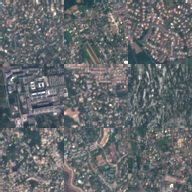 | — | — | — | 0 | 1.83 % | 0 |
| 1 |  | 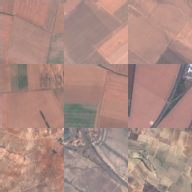 | PermanentCrop | cultivated | 0.287 | 771 | 5.91 % | 62 |
| 2 |  | 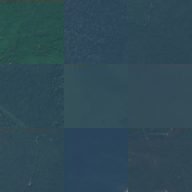 | Pasture | cultivated | 0.305 | 1 853 | 14.26 % | 161 |
| 3 |  | 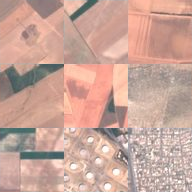 | AnnualCrop | cultivated | 0.538 | 405 | 3.08 % | 42 |
| 4 |  | 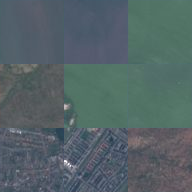 | Residential | built | 0.287 | 1 774 | 12.12 % | 150 |
| 5 |  | 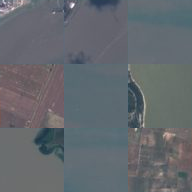 | PermanentCrop | cultivated | 0.212 | 570 | 7.51 % | 53 |
| 6 |  |  | SeaLake | water | 0.360 | 394 | 3.41 % | 28 |
| 7 |  |  | SeaLake | water | 0.595 | 625 | 5.33 % | 50 |
| 8 |  | 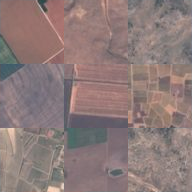 | PermanentCrop | cultivated | 0.245 | 1 163 | 7.69 % | 110 |
| 9 |  | 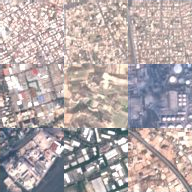 | Industrial | built | 0.857 | 7 | 0.89 % | 1 |
| 10 |  | 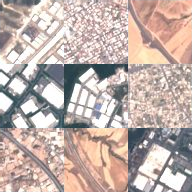 | Industrial | built | 0.682 | 151 | 1.44 % | 12 |
| 11 |  | 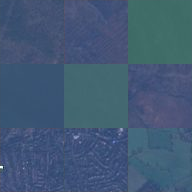 | Pasture | cultivated | 0.278 | 371 | 2.89 % | 39 |
| 12 |  | 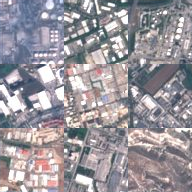 | Industrial | built | 1.000 | 1 | 1.05 % | 1 |
| 13 |  | 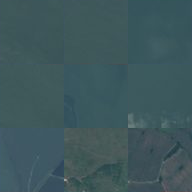 | Pasture | cultivated | 0.176 | 1 817 | 13.81 % | 156 |
| 14 |  |  | Forest | natural | 0.462 | 1 539 | 12.19 % | 119 |
| 15 |  | 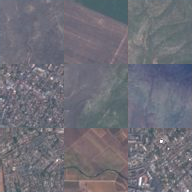 | Industrial | built | 0.297 | 559 | 6.59 % | 40 |
What the rebuild costs, and what it keeps
Compression trades storage against quality. Each codebook size K gives one pair: the bits needed to store a tile (256 patch numbers of log2(K) bits each) and how close the rebuilt tile is to the original, measured as PSNR in decibels (higher is closer).
Rate against distortion
At K = 16 a tile costs 1024 bits and comes back at 25.36 dB. Each extra codeword improves quality and costs storage. Click a point, or a row of the table below, to set the codebook size.
One tile, before and after
The first tile of the sample, the one the notebook shows, and its rebuild at each codebook size. The strip shows every size at once, so it does not follow the codebook size selected above. All cells are drawn at the same size without smoothing, so the differences between them come from quantization alone.
What is measured. PSNR compares each rebuilt tile with the decoded JPEG tile from the archive, over all tiles in the sample. The codebook was fitted on patches from these same tiles, so no tile is held out.
Every codebook size as numbers
| Codebook size K | Bits per tile | Quality (dB) | Mean squared error | Codewords alive | Usage perplexity | Source of K |
|---|---|---|---|---|---|---|
| 8 | 768 | 24.51 | 230.37 | 8 | 6.24 | added here |
| 16 | 1024 | 25.36 | 189.34 | 16 | 12.29 | the notebook |
| 32 | 1280 | 26.36 | 150.29 | 32 | 22.89 | added here |
| 64 | 1536 | 27.26 | 122.18 | 64 | 42.09 | added here |
| 128 | 1792 | 28.00 | 103.08 | 128 | 83.18 | added here |
| 256 | 2048 | 28.60 | 89.74 | 256 | 189.69 | added here |
The other arm: a codebook the model learns for itself
What was run. The contributed notebook also contains a VQ-VAE, a model that learns its codebook while it trains: an encoder shrinks the tile, each part of the shrunken form is snapped to the nearest entry of the learned codebook, and a decoder rebuilds the tile from those entries. The notebook switches this stage off by default; here it was run with the notebook's own code and settings. At these settings the codebook collapsed: after training, one code was in use. The three panels show the training loss, how much of the learned codebook was used, and how the rebuild compares with pixel patches and with the simplest possible baseline.
What the training did
Total loss per training batch; dots mark each epoch's mean. The loss alone does not show whether the codebook is being used: the next panel does.
The run is 3 epoch(s) of 187 batches of 64 tiles.
How much of the learned codebook was ever used
One bar per learned code, most used first, counted over all tiles after training. Codes that were never selected appear as short grey marks on the baseline.
Selected at least once: 1 of 256 learned codes · dead share 99.61 % · usage perplexity 1.00, the effective number of codes actually in play · verdict collapsed.
How the rebuild compares, at the same storage cost
Both bars use the same number of bits per tile: one for the learned VQ-VAE codebook, one for the pixel-patch codebook. The dashed line is the mean-tile baseline, the quality of returning one fixed picture, the average of all tiles, for every input. A model below that line has learned nothing specific to each tile.
At 2048 bits per tile (48.0× compression): the learned codebook reaches 16.1606 dB and pixel patches at K = 256, spending the same bits, reach 28.6007 dB — 12.44 dB in the pixel codebook's favour.
What this result shows. This VQ-VAE scores no better than the mean-tile baseline (-0.0059 dB relative to it): returning one fixed average picture for every input does at least as well as everything its encoder, codebook and decoder learned.
The VQ-VAE as numbers
Every figure in the three panels above, with the settings that produced them. The two differences are subtractions of the figures beside them. Architecture: encoder Conv2d(3,64,4,2,1)-ReLU-Conv2d(64,32,4,2,1); codebook Embedding(256,32); decoder ConvTranspose2d(32,64,4,2,1)-ReLU-ConvTranspose2d(64,3,4,2,1)-Sigmoid — notebook cell 17, unchanged.
| Epoch | Batches | Mean total loss | Mean reconstruction error | Mean codebook loss | Mean commitment loss | Final batch loss |
|---|---|---|---|---|---|---|
| 1 | 187 | 0.070439 | 0.024986 | 0.036362 | 0.036362 | 0.038139 |
| 2 | 187 | 0.037844 | 0.024300 | 0.010836 | 0.010836 | 0.034736 |
| 3 | 187 | 0.037313 | 0.024277 | 0.010429 | 0.010429 | 0.031890 |
| Measure | Value |
|---|---|
| Reconstruction quality | 16.1606 dB |
| Mean-tile baseline, on the same tiles | 16.1664 dB |
| Gain over the baseline | -0.0059 dB |
| Beats the mean-tile baseline | no |
| Pixel patches at the same bits per tile | 28.6007 dB, at K = 256 |
| Difference at the same bits per tile | 12.44 dB in the pixel codebook's favour |
| Mean squared error, on the 0–1 scale | 0.024207 |
| Tiles measured | 12 000 |
| Channel values measured | 147 456 000 |
| Tiles held out | none: measured on the training tiles |
| Bits per tile | 2048 |
| Compression ratio | 48.0× |
| What the rate does not count | the encoder, decoder and codebook weights |
| Codes in the codebook | 256 |
| Codes ever selected (alive) | 1 |
| Codes never selected (dead) | 255 |
| Dead share | 99.61 % |
| Usage perplexity | 1.00 |
| Verdict | collapsed |
| Collapsed | yes |
| Latent grid | 16 × 16 |
| Latent dimension | 32 |
| Epochs | 3 |
| Batch size | 64 |
| Tiles the loop saw per epoch | 11 968 of 12 000, 32 dropped |
| Why any were dropped | the notebook's loop is range(0, len(order) - 64 + 1, 64), which silently drops the final partial batch; kept as written |
| Commitment weight | 0.25 |
| Optimiser | torch.optim.Adam(lr=0.0003) |
| Loss | reconstruction MSE + codebook loss + 0.25 * commitment loss |
| Labels used in training | no |
| EMA codebook updates | no |
| Dead-code restarts | no |
| Device | cpu, 1 thread(s) |
| Notebook cell reproduced | 17 |
Before classification, each image becomes one row: for each codeword, the fraction of the image's 256 patches that use it. Each column is then standardized with the mean and standard deviation of the 7,200 training images, and this standardized table is the input to the logistic regression classifier.
Can codeword frequencies classify a landscape?
What this analysis establishes
The main findings, most important first. The numbers under each finding follow the codebook size currently selected in the Vector quantization section.
A tile survives being rebuilt from a short list of reusable patches.
Every patch of every tile is replaced by the nearest of K stored patches, and the tile is reassembled from those numbers and the codebook alone. What comes back is recognisably the same place: compare them in “One tile, before and after” in the Vector quantization section.
At K = 16: 1024 bits per tile at 25.36 dB.
Quality and storage rise together.
Across the measured codebook sizes, every extra codeword improved the rebuild and cost more bits, so each quality figure on this page is given with its storage cost.
6 codebook sizes measured, from 8 to 256 codewords; the notebook used one, K = 16.
A codebook can be bigger than the vocabulary it actually uses.
Codewords that no patch chooses still cost bits and add nothing. Counting how many are in use (alive) shows whether a codebook has collapsed, as the VQ-VAE's did.
16 of 16 codewords alive · usage perplexity 12.29.
Clusters found without labels match the ten folders only partly.
k-means never sees a land-cover class. Scoring its ten clusters against the 10 folders measures how much of that distinction the tile description carries. The description comes from a network pretrained on ImageNet, which is the main reason the score is as high as it is.
Adjusted Rand index 0.585 · matched-class F1 0.710 · permuted-label floor 0.000.
Glossary
The terms this page uses, explained as they are used here, on these tiles and at these settings.
The data, and where it came from
The dataset this page uses: 27,000 small colour satellite photographs of European land, sorted by the EuroSAT authors (Helber et al.) into ten folders named for what they show. The Dataset page documents the release.
The European Earth-observation satellites; the EuroSAT authors cut these tiles from Sentinel-2A images (see the Dataset page).
One photograph: a fixed-size square of ground, in three colour channels. One tile becomes one row of the design matrix.
The folder a tile was filed in — forest, river, housing and the rest. Here it is an evaluation label only: it is never given to the clustering or to the codebook, and is used afterwards to ask what the description happened to keep.
A grouping of the ten folders into four families (cultivated, natural, built and water), used to colour the maps: the hue shows the family and a shade of it the folder, and every folder is also named in the key, the hover card and the table. The grouping is this page's own reading of the folder names, not a category in the dataset.
The tiles this page uses were drawn folder by folder rather than at random from the whole archive, so each folder contributes the same number of tiles. The archive itself is unbalanced; the sample deliberately is not.
The fixed number that starts the random draw. The same seed reproduces the identical tiles in the identical order, which is what makes the numbers on this page repeatable.
The picture format the archive stores. It has already discarded some detail, so quality figures here are measured against the decoded JPEG.
Building the design matrix
The table of pooled pixel values: one row per tile, one column per pooled colour value, 768 in all. The Design matrix section and the PCA curve use it; the clustering, the patch codebook and the classifier read the same tiles through other descriptions.
A row X[i,:] is one tile; a column X[:,j] is one pooled position-and-colour value across every tile; a cell x_ij is one number.
Replacing each square block of pixels by the average of that block. It is how a tile is shrunk before it becomes a row — cheap, reversible in shape but not in content, and the reason fine texture is gone from everything downstream.
Reading a two-dimensional picture out as one long list of numbers, row after row. It is a change of bookkeeping, not of information: nothing is lost, but a method reading the flattened list no longer knows which numbers were neighbours.
The grid of thumbnails in the Design matrix section: each row of the matrix shown as the picture of its tile.
The number of rows drawn when the matrix has more rows than the chart can show. It is printed beside the chart, together with how the drawn rows were chosen.
The methods, as used here
A rotation of the description into new axes ordered by how much of the variation across tiles each one carries, so the leading few can be kept and the rest dropped. On this page it is applied to the pooled design matrix (the variance curve in the K-means clustering section); the clustering uses the CNN descriptor instead. PCA of the raw pixels is also the first step of the original-pixel map and of one classification baseline. PCA is linear: it cannot capture non-linear structure.
The numbers a method sees when it looks at a tile. Two are used for the maps and the clustering: the pooled one, a 16×16 RGB thumbnail flattened to 768 numbers (the design matrix and the PCA curve), and the learned one below (the clustering and the 2D maps in the Design matrix and K-means clustering sections). The patch codebook and the original-pixel map work on the raw pixels. Each panel names its input on the line under its heading.
A description produced by running the tile through a network already trained on a different, labelled photo collection, and keeping the numbers from its next-to-last layer. Here that is ResNet-18 trained on ImageNet, 512 numbers per tile, unit-normalised. It is why the clustering separates land cover much better than the pooled thumbnail: no EuroSAT label is used, but the features were shaped by ImageNet's labels.
The share of the total variation across tiles that a component carries. Added up over the leading components, it answers “how much of the description survives if I keep only this many axes”.
Any recipe that gives each row of the design matrix a position in a space with far fewer axes than the row has columns: here, two, so the whole matrix fits on a screen. What is dropped is dropped: two rows can land on the same spot because they are alike, or because the ways they differ lie in directions the recipe threw away.
A projection fitted to keep each point's near neighbours near, and nothing else. It is very good at making groups visible, but it is not a map: on a t-SNE picture the distance between two far-apart clumps, the area a clump covers and the direction of either axis are outputs of the optimiser, not measurements.
A projection with the same purpose as t-SNE and different machinery: it builds a graph of near neighbours and lays that graph out. As with t-SNE, near is meaningful, far is not, and the axes have no units. It tends to keep clumps more compact than t-SNE does.
t-SNE's main setting: roughly how many neighbours each point is fitted to stay close to. A small value makes many small clumps and a large one makes few broad ones, out of the very same data. It is unrelated to the usage perplexity below, which counts codewords.
UMAP's two main settings. n_neighbors is how much of each point's neighbourhood the layout is fitted to, so it trades local detail against overall shape; min_dist is how tightly points are allowed to be packed, so it changes how dense a clump looks without changing which points are in it. Both are settings, not properties of the data.
An algorithm that splits points into k groups by repeatedly moving k centres to the average of the points nearest them. It always returns k groups, whether or not the data has any; the number k is a setting, not a discovery.
The same algorithm fitted on small random batches instead of all the points at once. Used here because the patches are far more numerous than the tiles.
Replacing each piece of data by the nearest entry of a fixed, short list, and storing the entry's index instead of the data. It is the whole idea this page is about: the picture is no longer stored, only the recipe for reassembling it.
The fixed list itself — the K stored patches every patch of every tile must be replaced by. Learned here by running k-means over patches taken from the sampled tiles.
One entry of the codebook. Its index is a name, not a quantity: codeword 7 is not between 6 and 8, which is why the codebook is drawn as a strip of swatches and never as a scale.
The ten groups k-means finds among the tiles, which the class map in the K-means clustering section colours by. It uses the same algorithm family as the codebook above, but everything else differs. The codebook is fitted on 4×4 patches and exists to rebuild a tile cheaply; a cluster is fitted on the whole tile's 512-number descriptor and is named afterwards, by scoring it against folder names it was never shown. The fit stays at ten clusters, one for each land-cover folder, so that it can be scored against them; its adjusted Rand index and matched-class F1 are printed beside it.
The single codeword a tile is made of more than any other. Quantize a tile at codebook size K and each of its 256 4×4 patches is replaced by its nearest codeword; whichever of them comes up most often is the tile's dominant codeword, and the share of the 256 it accounts for is printed beside it wherever the page names it. It is what the original-pixel map colours by and what the codeword bars count, so changing the codebook size re-quantizes every tile. Read the share: at a small K one codeword can cover most of a tile, and at K = 256 the dominant one is often a modest plurality. A codeword that dominates no tile is not unused: it can appear in many tiles in small amounts.
The small square a tile is cut into before quantization. Patch size and K together decide both the bit cost and how much structure a single codeword can carry.
The failure where almost every patch chooses the same few codewords and the rest are never used. The training loss does not report it; counting the alive codewords does.
A model that learns the description and the codebook together: an encoder compresses the picture, the result is snapped to a learned codebook, and a decoder rebuilds it. The contributed notebook includes one, switched off by default; here it was run at the notebook's own settings. The codebook collapsed and the rebuild did not reach the quality of returning one fixed average picture; the figures are in the VQ-VAE panel at the end of the Vector quantization section.
The two halves of the learned arm. The encoder maps a tile down to a small grid of vectors; the decoder maps a grid of codebook entries back up to a tile. They are trained together, against the difference between the tile that went in and the tile that came out — so neither is meaningful on its own, and neither is ever shown a folder name.
One pass of the training loop over every tile it was given. It is a setting, not a result: a model that has not been trained for long enough and a model that cannot learn this data look identical after too few of them, which is why the epoch count is printed beside the VQ-VAE's score.
The trick that lets the snapping step be trained at all. Choosing the nearest codebook entry has no usable gradient, so the gradient is passed backwards as if the snap had not happened. It is the plain form the contributed notebook implements, without either of the two maintenance measures below.
Moving the codebook entries towards a running average of the vectors assigned to them, instead of learning them by gradient alone. It is one of the two standard measures against collapse; the contributed notebook's code does not implement it.
Detecting codebook entries that nothing is choosing and re-seeding them onto vectors that are actually in the data. The other standard measure against collapse, also absent from the contributed notebook's code. Absent both, a codebook can shrink to a single entry and the decoder can only emit one picture.
Scoring what came out
The average of the squared differences between the original and the rebuilt picture, pixel by pixel. It treats every pixel alike and knows nothing about what a person would notice.
Peak signal-to-noise ratio: the reconstruction quality figure derived from the mean squared error, on a logarithmic scale in decibels. Higher is closer to the original. It is reported together with the bits per tile it costs.
What one tile now costs to store, counted as the number of patch indices times the bits needed to name one codeword. It is the “rate” half of the trade.
The curve of quality against storage cost across codebook sizes.
How many codebook entries were chosen at least once. Well below K means the bit budget is paying for a vocabulary that is not being used.
The effective number of codewords actually in play, computed from how unevenly the usage is spread. It falls towards one as a codebook collapses.
How much a grouping the algorithm found agrees with the folder names, corrected so that chance agreement scores about zero. It compares two groupings.
Each cluster is paired with the folder it overlaps most, one to one, and the per-pair scores are averaged. It answers “if I had to name each cluster, how well would the names fit?”
The table of how many tiles of each folder landed in each cluster. The pairing above is computed from it, and the class-map table uses it to show which cluster most of each folder went to.
The score of the simplest possible predictor: return one fixed picture, the average of every tile in the sample, whatever the input is. It is measured with the same formula on the same tiles as the models, and a reconstruction has to beat it before its decibel figure means anything. A model that does not has learned nothing tile-specific.
How to read the panels
The form the K-means clustering section uses to compare folders and clusters in one picture. Every tile is drawn once, at the position the projection gave it, and two buttons change only what the dots are coloured by: the folder the tile was filed in, or the cluster k-means put it in. Because no dot moves, a dot that changes colour is a disagreement, and a class that keeps a region of its own under both colourings is one the clustering recovers. Clicking a key entry shows only that series and greys every other dot.
How the maps draw ten categories: the hue shows the land group (water blue, natural green, cultivated gold, built brick) and a shade of that hue separates the two or three folders inside a group. A shade is a weaker cue than a hue, so every series is also named in the key, in the hover card and in the table, and clicking a key entry shows only that one.
Nothing on this page fits a model in your browser. Changing a setting switches to a result computed in advance.
A codeword nobody chose is drawn as a short grey mark on the baseline of the usage chart, sorted last, so that it reads as “none” rather than as a very small count.
In the Source evidence table, whether the project's records and the archive itself agree. Each flag carries an icon and a word, not just a colour.